
Deploy an Azure Function App — Step-by-Step Guide
This tutorial shows you how to deploy your first Azure Function App using Azure CLI, VS Code, and Azure Portal — beginner friendly.

Contents 11 sections
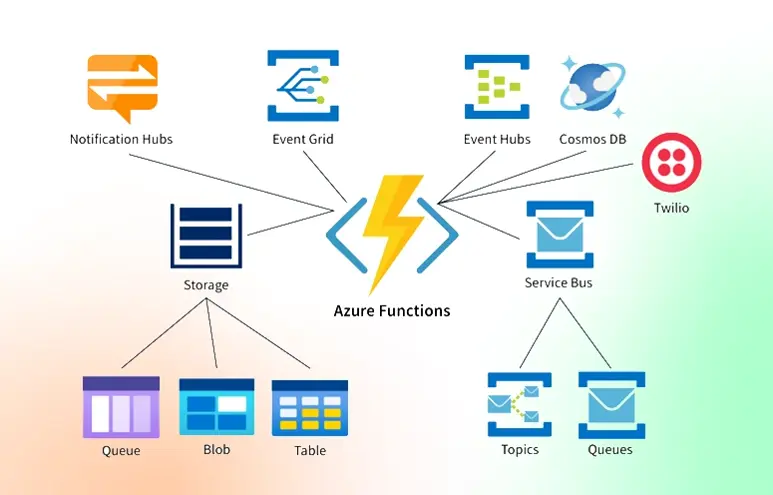
Azure Functions allow you to run small pieces of code in the cloud without managing servers.
In this guide, you'll deploy a fully working Function App using the Azure CLI.
Prerequisites
Before starting, make sure you have the following installed:
- Azure CLI
- Node.js or Python runtime
- VS Code with Azure Functions extension
- An Azure subscription
- Git (optional)
You can download the Azure CLI here:
👉 https://learn.microsoft.com/cli/azure
Optional tools:
- Docker
- Azurite (local storage emulator)
📌 Feature Overview Table (Markdown Table Example)
| Feature | Supported | Notes |
|---|---|---|
| Serverless compute | ✅ Yes | Pay per execution |
| Multiple runtimes | ✅ Yes | Node, Python, C#, Java |
| Local debugging | ✔️ Yes | Via VS Code |
| Containers | ⚠️ Limited | Use Premium plan |
Step 1 — Create a Function App
Start by creating a Resource Group and a Storage Account:
az group create --location westus --name serverless-demo

az storage account create   --name myfuncstorage   --location westus   --resource-group serverless-demo   --sku Standard_LRS
Task Checklist (Task List Example)
- Install Azure CLI
- Create resource group
- Create storage account
- Deploy Function App
- Test endpoint
Step 2 — Initialize a New Function
Create a new project locally:
func init myfunction --worker-runtime node
cd myfunction
func new
💡 Tip: If you're using Python, replace
--worker-runtime nodewith--worker-runtime python.
Nested List Example
- Initialize project
- Choose runtime
- Node.js
- Python
- C#
- Create your first function
Step 3 — Deploy to Azure
Deploy your function with:
func azure functionapp publish my-function-appInline Code Example
Use func start to run your Function locally.
Step 4 — Test the Function
After deployment, go to the Azure Portal → Function App → copy the Invoke URL.
You can test the endpoint using curl:
curl https://my-function-app.azurewebsites.net/api/HttpTrigger1?name=ChatGPT📺 Embedded Video (HTML Block in Markdown)
<video controls width="600" poster="https://yourblob.blob.core.windows.net/posts/img/video-preview.png">
  <source src="https://yourblob.blob.core.windows.net/posts/videos/azure-function-demo.mp4" type="video/mp4" />
  Your browser does not support the video tag.
</video>
📦 Tip: Environment Variables
Make sure to configure:
AzureWebJobsStorage=<connection-string>
FUNCTIONS_WORKER_RUNTIME=node
📌 Footnotes Example
Azure Functions are highly scalable.[^1]
[^1]: Scalability depends on your hosting tier (Consumption, Premium, Dedicated).
✨ Quote Example
"Serverless is not about running without servers;
it's about not having to manage them."
— Cloud Architect
Final Thoughts
You’ve now deployed your first Azure Function using the Azure CLI and Function Core Tools.
Feel free to extend this by:
- Adding CI/CD
- Binding to Storage Queues
- Consuming Event Grid events
- Deploying with Bicep or Terraform
🎉 Congratulations—You're serverless!