

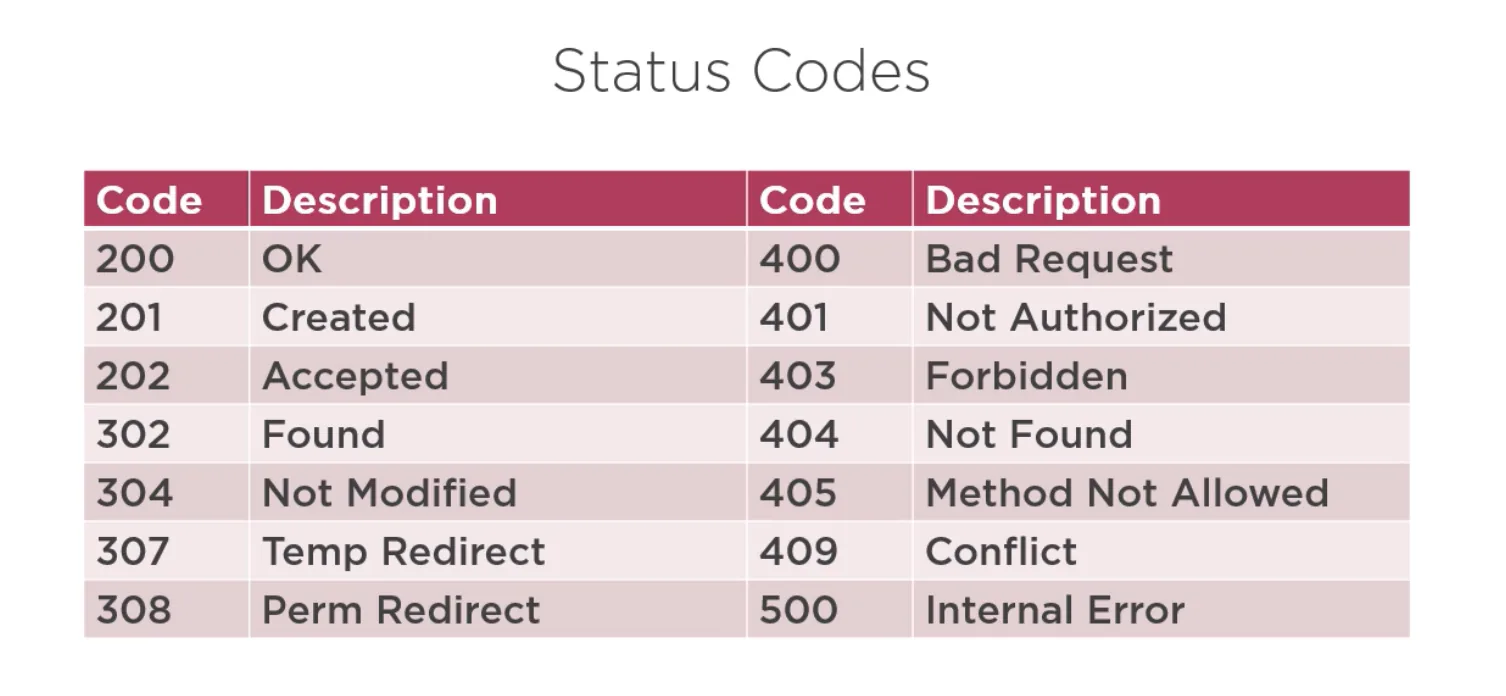
HTTP response status codes indicate whether a specific HTTP request has been successfully completed.
They help browsers, APIs, servers, and developers understand the result of an HTTP operation.
Responses are grouped into five main classes, each representing a different range of numbers.
Status Code Categories
1. Informational Responses (100–199)
These codes indicate that the request was received and understood, and that the client should continue.
Common examples:
| Code | Meaning |
|---|---|
| 100 Continue | Client should continue sending the request body. |
| 101 Switching Protocols | Server agrees to switch protocols (e.g., HTTP → WebSocket). |
| 102 Processing | Server has received request but has not yet completed it (WebDAV). |
Use case example:
- Used when large data uploads require confirmation before continuing.
2. Successful Responses (200–299)
These codes indicate that the request was successfully received, understood, and processed.
Common examples:
| Code | Meaning |
|---|---|
| 200 OK | Standard successful HTTP response. |
| 201 Created | A new resource was successfully created. |
| 202 Accepted | Request accepted but processing is not complete. |
| 204 No Content | Request succeeded but no content is returned. |
Use case example:
- API returning user profile →
200 OK - Creating a new user →
201 Created
3. Redirect Responses (300–399)
These codes tell the client to take further action, often by making a new request.
Common examples:
| Code | Meaning |
|---|---|
| 301 Moved Permanently | Resource has a new permanent URL. |
| 302 Found | Temporary redirect. |
| 304 Not Modified | Cached version is still valid (no need to download again). |
Use case example:
- Redirecting from
http://tohttps:// - Redirecting old URLs after a website redesign
4. Client Error Responses (400–499)
These indicate an error caused by the client (bad syntax, invalid credentials, forbidden access, etc.).
Common examples:
| Code | Meaning |
|---|---|
| 400 Bad Request | The server cannot process the malformed request. |
| 401 Unauthorized | Authentication required or invalid. |
| 403 Forbidden | Client is authenticated but not allowed. |
| 404 Not Found | Resource does not exist. |
| 429 Too Many Requests | Rate limit exceeded. |
Use case example:
- Wrong JSON format →
400 - Missing auth token →
401 - User lacks permissions →
403 - Incorrect API endpoint →
404
5. Server Error Responses (500–599)
These indicate the server failed to fulfill a valid request.
Common examples:
| Code | Meaning |
|---|---|
| 500 Internal Server Error | Generic server failure. |
| 501 Not Implemented | Server does not support requested method. |
| 502 Bad Gateway | Invalid response from upstream server. |
| 503 Service Unavailable | Server temporarily overloaded or down. |
| 504 Gateway Timeout | Upstream server took too long to respond. |
Use case example:
- Database outage →
503 - Reverse proxy error →
502
Full Status Code Diagram
100–199 → Information
200–299 → Success
300–399 → Redirect
400–499 → Client Error
500–599 → Server Error